

Tl;dr -That “great deal” on a tablet? It disappears the moment something breaks. Repairs can cost $50–$650, wiping out any discount you saved. So, how can you protect your precious device? Manufacturer warranties are short term promises which only cover defects, not real-life accidents like drops, spills, or cracked screens. That’s where extended tablet warranty and accidental warranty come in.
“Today I dropped it by mistake and most of the screen has broken… the screen of the Tab S6 Lite costs around 137.54 USD.” a Redditor expressed this frustration.
Tablets are supposed to be simple, reliable, everyday devices, less complicated than laptops and more capable than phones. Yet somehow, they end up costing even more to fix and keep alive.
During most big sales, electronics prices usually drop somewhere between 20% and 30%, which means a $300 tablet often falls to around $210 to $240. On the surface, that looks like a good seasonal win. But once you look at repair prices, it does not add up.
Tablet repairs can cost hundreds of dollars, depending on the issue. Screen replacements sit around $150 to $650, and battery repairs usually land between $50 and $150. It does not take much for one small failure to cancel out everything you’ve saved.
The situation gets more dire when you consider that tariffs keep shifting. Parts like batteries and chips fluctuate, and no one really knows what repairs will cost a year from now.
With the way pricing moves today, it only gets harder to predict. It leaves both shoppers and merchants in an uncertain place. You can hope your tablet lasts forever, but let’s be honest, hope isn’t a currency accepted by repair teams.

So, before you get a new tablet (or if you already have), consider what you’ll do in case something goes wrong. Let’s go over what is actually covered, what is not, and what kind of protection makes sense for the long term.
Because whenever things break or fail, there is almost always protection out there that can help.
When you unbox a new tablet, you get the device, the charger, a quick-start guide you’ll never read, and one basic promise from the brand: if something we built goes wrong, we’ll fix it.
They give you a limited 1-year warranty which covers internal hardware failure due to factory defects.
That being said, different manufacturers have different terms and conditions when it comes to tablet warranty.
When it comes to Android tablets, Samsung is one of the biggest players and its warranty reflects that scale. Devices like the Samsung Galaxy Tab S6 Lite typically come with a standard 1-year limited warranty that covers manufacturing defects and hardware issues.
Apple’s tablets, like the Apple iPad, are known for premium build quality, but repairs can be just as premium. Apple offers a 1-year limited warranty backed by strong customer support and optional AppleCare+ for extended coverage.
Not so fun fact: Apple’s out-of-warranty screen repairs can cost up to 40–60% of the device’s value.
Microsoft’s Surface Pro line blurs the line between tablet and a laptop - and its warranty reflects that hybrid nature.
Amazon’s Amazon Fire Tablet lineup is built for affordability—and its warranty strategy reflects that. While standard Fire tablets come with a shorter warranty, Amazon stands out with its “worry-free” guarantee for kids’ editions.
However, Amazon’s Kids tablets often come with a 2-year no-questions-asked replacement policy, even when the damage is your fault.
Lenovo tablets, like the Lenovo Tab P11, strike a balance between affordability and functionality. Their warranty is straightforward but not particularly comprehensive.
Across brands, one thing stays consistent: manufacturer warranties are designed to protect the company from defects, not your device from accidents.
And considering that accidental damage accounts for nearly 70% of tablet repairs, relying on just the standard warranty seems like a costly gamble.
Short answer – a lot! Here is a full list:
So, once that manufacturer’s tablet warranty expires, they are pretty much saying “you’re on your own, pal.”
It can glitch, slow down, overheat, or slip out of your hands on a random Monday. And as you already know, repairs would not be cheap. That is exactly why so many people choose to extend their coverage.
Normally, tablets tend to fail gradually. It usually starts with small things like the screen freezing, the charging port getting loose, or the battery draining faster than it should.
And unfortunately, these issues tend to happen right after the manufacturer's warranty expires.
“Pixel Tablet completed dead after 1 year of moderate usage. Mostly sitting on the Speaker Dock. It won't charge via the Speaker Dock nor USB-C port. Reached out to Google, unfortunately it is out of warranty, and there's absolutely nothing they can do about it. I was hoping to send it in somewhere for repair, wouldn't mind the repairing cost, but Google told me they don't have that option at all. Shame to just throw it away, along with the Speaker Dock, which is perfectly fine it seems.”
- A disappointed Pixel Tablet owner venting on Reddit.
Situations like these is where an extended warranty helps. It steps in when the standard warranty ends and covers the age-related issues tablets are known for.
Reliable warranty providers like SureBright offer:
So, while the manufacturer’s warranty gets you started, extended coverage makes sure the story doesn’t end with a repair bill. But what if your child just cracks the screen? Yeah, coverage exists for that too.
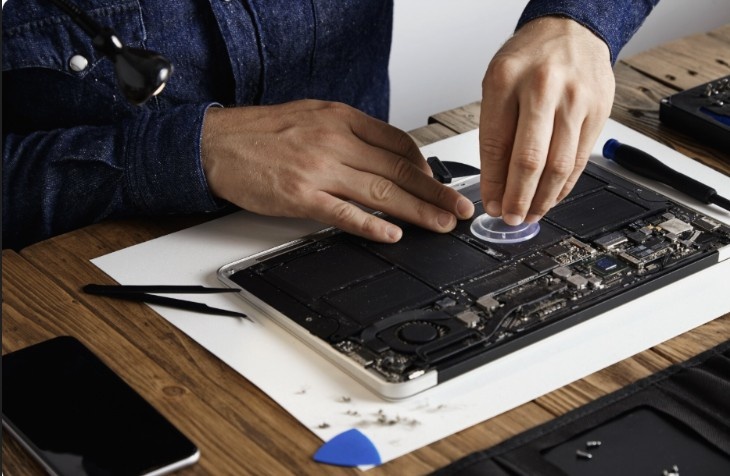
Tablets spend half their life in accident-prone zones. People can use them for a variety of things - games, school, YouTube, drawing, carrying them from room to room with one hand. You could accidentally drop them on tiles, spill your morning coffee on them, or leave them unattended in front of a cute pet with self-control issues... the list is endless.
That is exactly why accidental damage protection helps. It covers the real-life moments that have nothing to do with defects or aging, and everything to do with timing and bad luck.
What these plans usually include:
Accidental coverage fills the gap that manufacturers and extended warranties do not cover.
However, even with accidental coverage, a little care goes a long way.
These as the practices that keep your tablet out of repair shops and your warranty as a backup, not a crutch.
Treat your tablet well, and it’ll last longer, but when life happens, that’s when an accidental warranty proves its worth.

It might seem that warranties are only about repairing broken devices. Today, they are way more than that. They create stability in a world that often feels unpredictable. For shoppers, they provide reassurance.
For merchants, warranties turn unpredictable repair issues into something structured and manageable. In a year where margins already feel tight, that stability matters.
A good warranty partner does more than just simplify filing claims. They manage the repairs, replacements, parts, communication, and all the difficult moments after a customer says the product is not working. This allows you to stay focused on running your business.
Customers still have protections under consumer laws, but a strong warranty provider ensures they never need to escalate to that point.
If you are choosing a warranty partner, look for:
And at SureBright, we offer all these benefits along and more. We handle the difficult parts in the background so you can stay focused on everything that matters. More than 500+ brands and hundreds of thousands of customers rely on us to keep warranties simple, profitable, and easy to manage, even when everything else gets complicated.
A. Yes, you should because most manufacturer warranties don’t cover accidents. A good plan protects you from costly repairs like cracked screens or liquid damage.
A. Yes, most tablets include a limited manufacturer warranty, usually for 1 year. But it typically only covers defects, not accidental damage.
A. Yes, devices like the Apple iPad are eligible for extended coverage plans. You can also opt for AppleCare+ for added protection.
A .Some warranties are transferable, but it depends on the provider and terms. Always check the policy details before selling or gifting your device.
A. It varies by brand, model, and coverage level. Typically, it’s a small percentage of the tablet’s price, much less than most repair costs. If you are looking for one, you should once enquire with SureBright to get the most competitive pricing with the widest coverage.



_11zon.jpg)