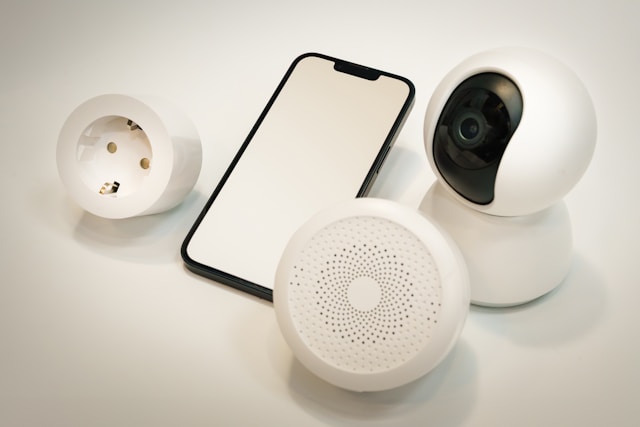


“I hate everything having touch screens. Give me physical buttons!!”
That was a Reddit user venting about their new toaster. A toaster with a touchscreen, Wi-Fi connectivity, and a display resembling a high-end tablet. It sounds impressive (though also puzzling- why would someone need that) until a glitch prevents them from making breakfast without a full system reboot.
Another buyer shared a similar experience:
“i got a GE Cafe induction cooktop that has wifi and bluetooth capabilities for some reason... never configured either of those functionalities in the 2 years of owning it”
Versions of this story play out across your entire home. Somewhere out there, someone is selling a Bluetooth-enabled salt dispenser that plays music while it seasons your food. Because apparently, grinding pepper in silence was a problem that needed solving. Robot vacuums forgetting how to navigate your living room after a cloud service was abruptly discontinued.
Basically, shifting from mechanical reliability to software dependency has totally changed the rules of ownership.
In this blog, we will walk you through the reality of smart appliances, how to spot the warning signs of tech bloat, and what your options are when a device stops working through no fault of your own.
A couple of decades ago, when devices broke, it was mostly only because something inside them wore out.
Take this Reddit user’s 1960s oven, for example:
“We just baked Thanksgiving dinner in ours... holds temperature better than newer models I’ve used. Will probably outlast me.”
Fast forward to 2026, where no one seems to be selling durable products anymore, everyone’s selling experience and lifestyle, and buying a smart device means locking yourself into an ecosystem.
Apart from just managing the hardware; you’re dealing with the company’s baggage - where the device might be fine, but the software support is anything but.
In January 2026, Belkin shut down cloud services for its entire Wemo line.
Overnight, parents lost remote access to baby monitors. Scheduled lighting routines that people had spent hours setting up stopped running. Smart plugs that controlled space heaters and fans went unresponsive. Not because anything broke. Because a company decided it wasn't worth keeping the lights on.
Some of those devices were barely two years old. And the hardware still worked but the servers that made them smart didn't.
“We need significantly more consequences for companies that pull support like this. And by significantly more consequences, I actually just mean any consequence at all…”
- a user on Reddit
It is a valid point.
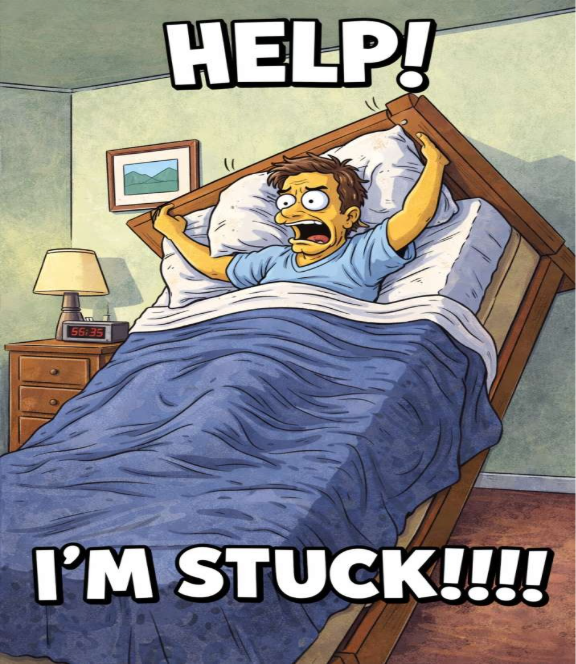
But even more diabolical was the incident where $2,000 smart beds overheated uncontrollably, while others stayed stuck upright during an AWS outage. What followed was nothing short of a nightmare.
“Would be great if my bed wasn’t stuck in an inclined position”
Another shopper shared:
“Why does a mattress cooling you locally need to depend on an internet service connection to cool you?”
Nobody had a good answer, though the internet certainly made plenty of jokes at their expense. And situations like these make one wonder if most innovation is intentionally designed to not last long.
Some smart devices just spend their entire life solving a problem that never existed.
An owner on a community forum shared their experience:
“My dryer does not need WiFi. Please stop putting WiFi in shit that doesn’t need it”
There are products that work perfectly okay but built such that consumers often confuse complexity for value.
“My refrigerator is Internet connected, and it does exactly nothing for me I value. It does not have the only feature I would like, which is to tell me if the internal temperature ever went above a food safe threshold.”
-A firsthand account on Reddit
Honestly, that’s the best-case scenario. You paid extra for features you’ll never use. The worst case? You paid full price for a product, used it happily for months, and then got a notification saying those same features now cost a monthly fee.
This is probably the one that frustrates people the most.
Nuki, the smart lock company, tried putting basic Wi-Fi access behind a $5.90 monthly paywall in 2025. So basically, if you bought a smart lock, the company just decided the smart part is a subscription.
“I had two Nuki Bridge devices brick themselves out of the box during a mandatory update, Nuki offered no help”
- A buyer on Reddit
Futurehome went even further with a mandatory $117/year subscription imposed on 30,000 existing customers. If you don’t pay, a firmware update bricks the device.
Sounds like something straight out of a science fiction novel.
And oddly enough, American author Philip K. Dick wrote about this exact scenario. A character can’t leave his apartment because the door demands a fee to open: “The door refused to open. It said, 'Five cents, please.'”
What was science fiction 56 years ago, is a business model in present day. Which makes you wonder- is there anything that’ll be free? Naa, don’t think about air or water as well- these days carbons have credits and some stock exchanges have started listing water.
If the system is stacked in an impossible way, what can you even do about it?
Frankly, quite a bit. But you must know what to look for before the product page or a celebrity in an ad convinces you that Wi-Fi on a toaster is a feature worth paying for.
Before anything else, ask this: does this device still work if the company disappears or the internet goes down?
If the answer is no, or if nobody can tell you, that’s an appliance you can skip buying. A smart home reviewer who tested 30+ products over six months said:
“The best smart devices remain functional 'dumb' devices in worst-case scenarios.”
“I have a smart bulb that only worked with its own app. The company was acquired, the app was discontinued, and now it’s a dumb bulb. Lesson learned.”

He learned the lesson the hard way. Make sure you don’t.
If you’ve seen a small logo on newer smart device packaging that says “Matter,” that’s probably the single most useful thing to look for in 2026. It means the device works across Apple, Google, Amazon, and Samsung. If one of those platforms changes direction or shuts something down, your device still works with the others.
There are alternatives - such as devices labeled “Works with Alexa,” “Google Home,” or “Apple Home,” as well as ecosystems like Zigbee or SmartThings - but these come with outliers. Compatibility may vary, some features may not carry over between platforms, and long-term support isn’t always guaranteed across ecosystems.
These badges are not a guarantee that nothing will ever go wrong. But it’s the closest thing to a safety net that exists at the product level.
In 2024, consumer reports surveyed over 2,000 Americans and found they expect large appliances to last 12 years on average. Only three out of 21 major appliance brands will even tell you how long they plan to support the connected features.
The longest promise any of them made was five years.
That space in between is where things go wrong and where most people find themselves stuck with no options. A spill, a power surge, or a software update that bricks something. The best time to think about protection is when you’re still excited about the purchase. Not when you’re standing in your kitchen watching a touchscreen reboot for the third time that week.
Everything above helps if you’re buying something new. But for the devices already in your home, here’s what you do
A device that lost its cloud connection isn’t necessarily dead.
On Slashdot, a user shared what kept his smart home running while Ring doorbells were going haywire during the October 2025 AWS outage:
“Home Assistant is the modern version of this. Keep everything local and under your control.”
Home Assistant supports 3,500+ devices, costs under $100 to set up, and is run by a non-profit that can’t be sold or acquired.
Those Wemo devices Belkin abandoned? Many still work through Home Assistant’s local integration. On an AppleInsider forum thread about surviving the Wemo shutdown, one user advised:
“Ditch them as soon as you can and you'll never look back.”
Fair point. But for people who’d rather save what they have than start over, local control is real, and it works.
Right to Repair laws are now enforceable in over a quarter of US states. Apple expanded Self-Service Repair to 65+ products. Colorado banned parts-pairing in January 2026. These laws are forcing manufacturers to stop locking you out of fixing what you already own.
iFixit remains the best place to start. Free repair guides, parts, and toolkits for thousands of devices. Sometimes a $15 part and twenty minutes spent on a fixing guide is all that stands between your device and the trash. As one r/BuyItForLife buyer put it:
“Whirlpools are pretty easy to repair. I've repaired washers, dryers, ovens, and dishwashers.”
If it still works, even partially, don’t let it sit in a drawer losing value every week
Apart from Apple, Samsung, and Amazon, independent platforms like Swappa, Back Market, and ecoATM kiosks (available in over 7,000 stores across the US) let you resell or trade in devices directly. If you do not want to route your money back to the same companies that led you here they’re worth considering.
The refurbished device market is projected to nearly double by 2030. There’s real demand for pre-owned tech. Might as well be your listing instead of your drawer.
If the device is truly done, don’t just trash it. Best Buy accepts most electronics for free recycling at any store.
And before you recycle, consider repurposing. Old smartphones make solid baby monitors, kitchen recipe screens, or dedicated music players. As one Reddit user put it:
“I tend to use things until they just don't work. Upgrading every 6 months is foreign to me. It's such an over-consumption habit and not necessary.”
So, not everything needs to leave the house.
You can rescue, fix, or recycle what you have. But, if you aren’t ready to build a DIY server, an extended warranty is the other way to bridge that gap.
The right plan acts as a safety net for the stuff the Right to Repair doesn’t always catch, like when a touchscreen stops responding or a motherboard fries during a firmware glitch. It’s less about coverage and more about ensuring that your $2,000 smart bed doesn’t stay stuck at a 45-degree angle because of a server outage you didn’t cause.
And while you learn how to buy the next smart device, make sure the stuff you already bought actually does the job you paid for. Whether you use local control, better shopping habits, or a protection plan, the outcome is the same: You own the tech; it shouldn’t own you.
.jpg)






.png)